Home searchers
Add places and decide together
Capture listings from anywhere, react to them, set your priorities, and let Roost recommend one place for both of you.
Add a place
In your browser, share a Zillow, StreetEasy, or MLS listing to Roost. Or, in the app, open the menu and choose Add link, then paste a link or an address. Roost fills in photos, price, beds, baths, and size for you.
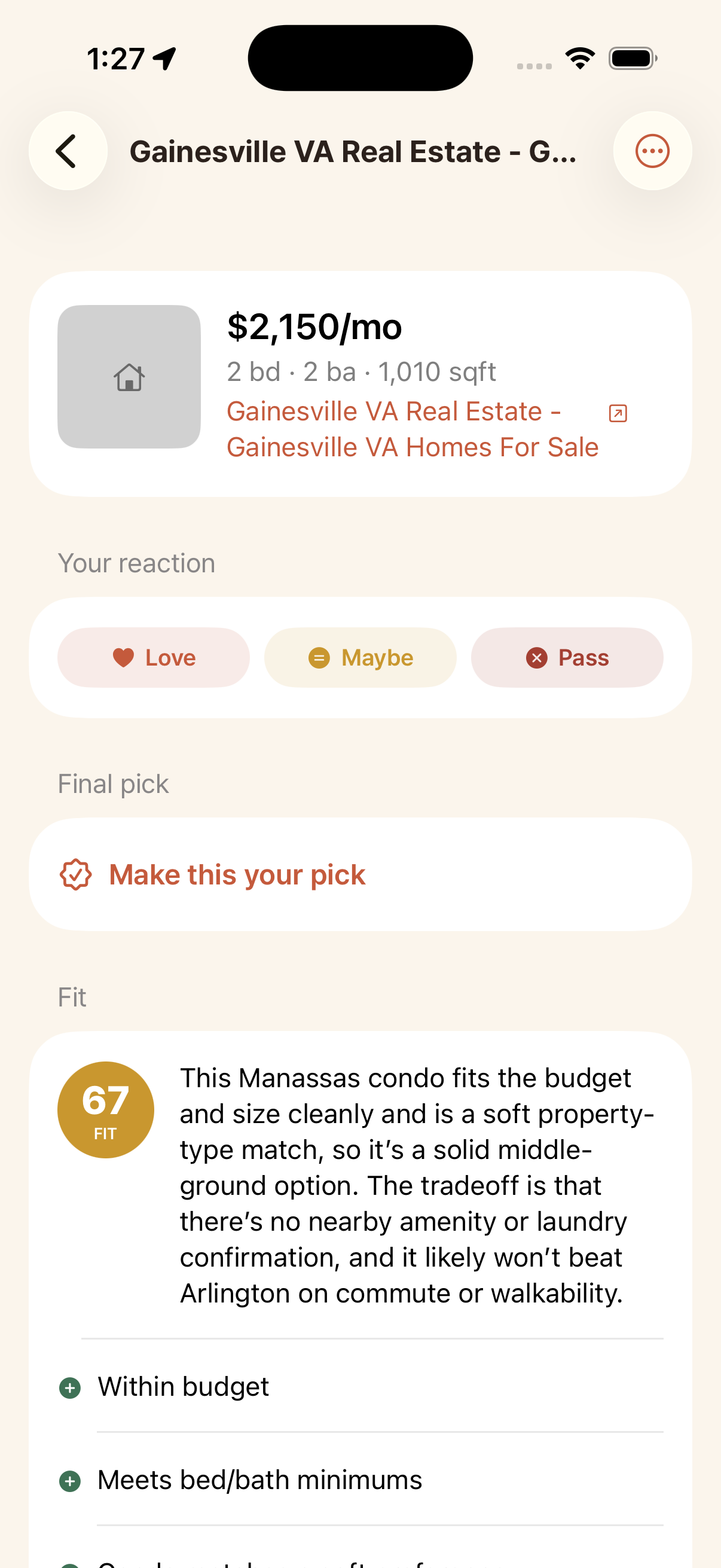
React to it
Open a place and mark it Love, Maybe, or Pass. You also see its fit score and why it does or does not fit. Your partner sees your reaction, and an agreement badge shows where you line up.
Set your priorities
Open My priorities and describe what matters to you in plain language (for example, short commute, lots of light, pet friendly). Roost turns it into weighted priorities. You do not have to know them in advance.
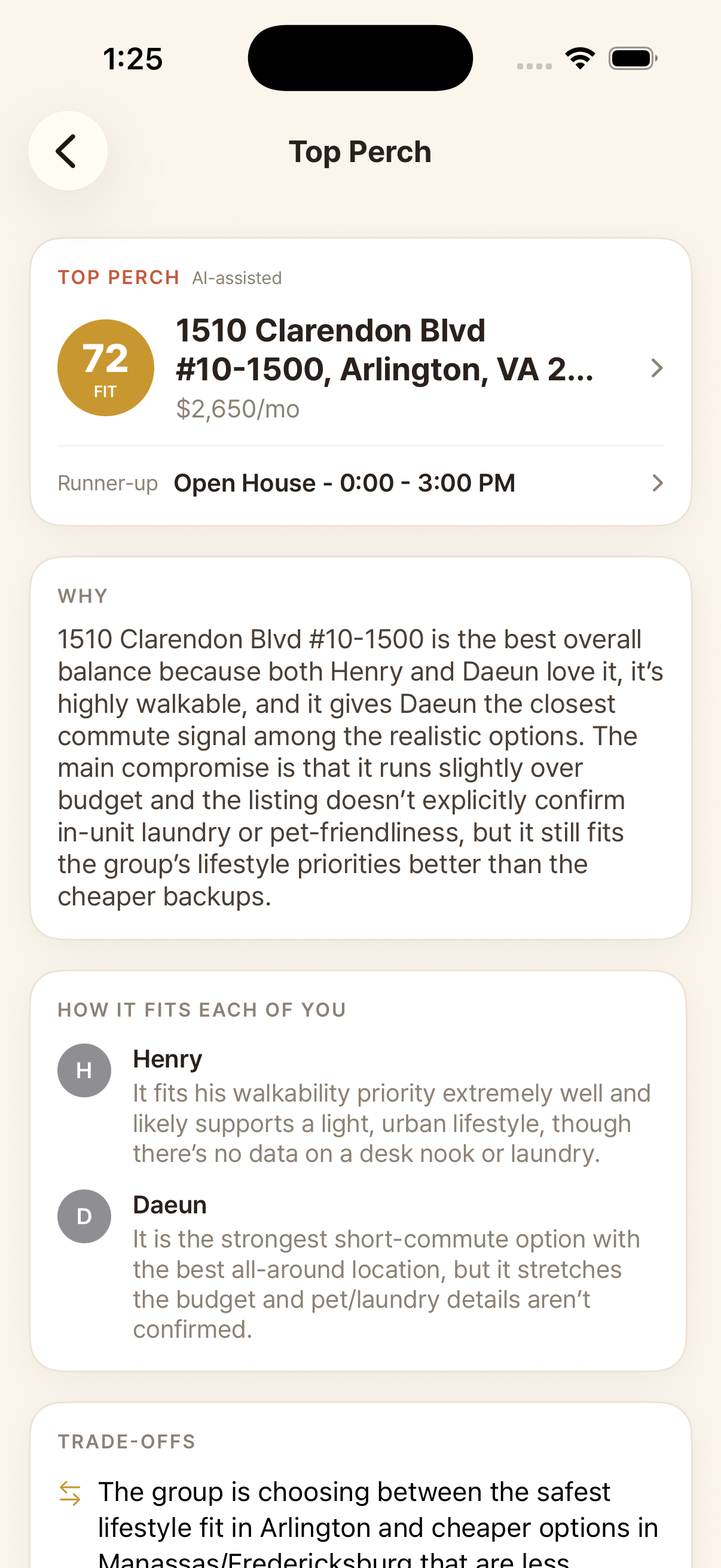
Get the recommendation
Tap Rank. Roost scores every place for each of you and produces one balanced recommendation, the Top Perch. Open it to see the pick, each person's take, and the honest trade-offs.
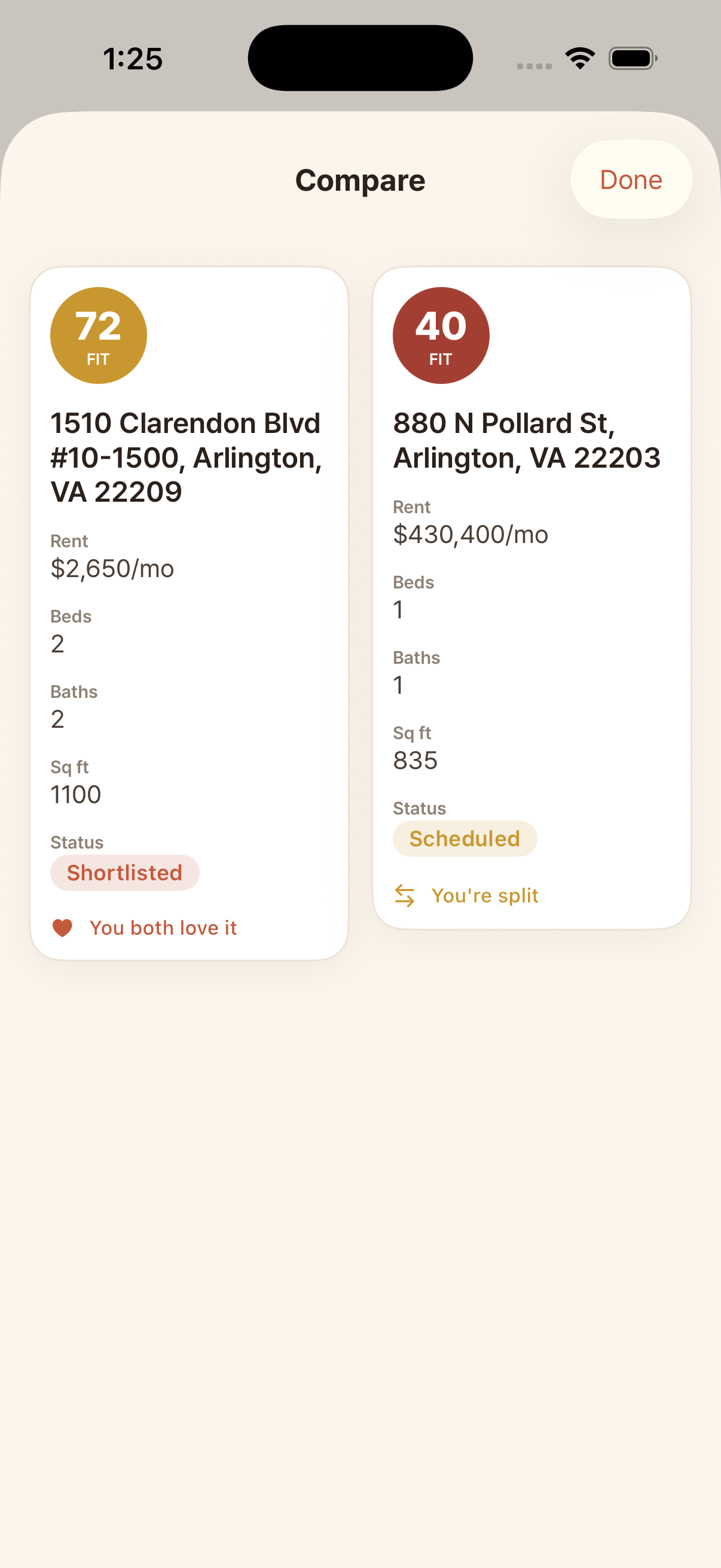
Compare your finalists
When you each make a final pick, tap Compare to see them side by side: fit, rent, beds, baths, and where you agree.